
The home office is the hardest room to make biophilic. Not because it is difficult to find natural materials for a desk or to position a plant near a window — but because a home office contains the single element most categorically opposed to the biophilic framework: a monitor, which is always the brightest, most synthetic object in any room it occupies.
Every other biophilic room in this guide can be resolved by material choice, plant placement, and light specification alone. The home office has to do all of that while building a functional working environment around something that glows.
Getting this right is the specific problem this guide addresses.
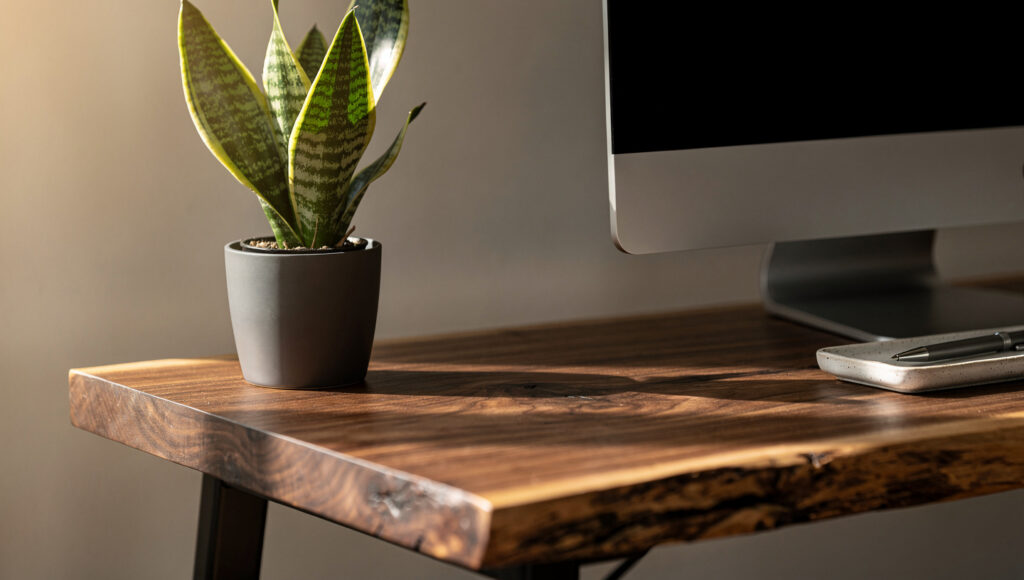
The Monitor Problem — and Its Solution
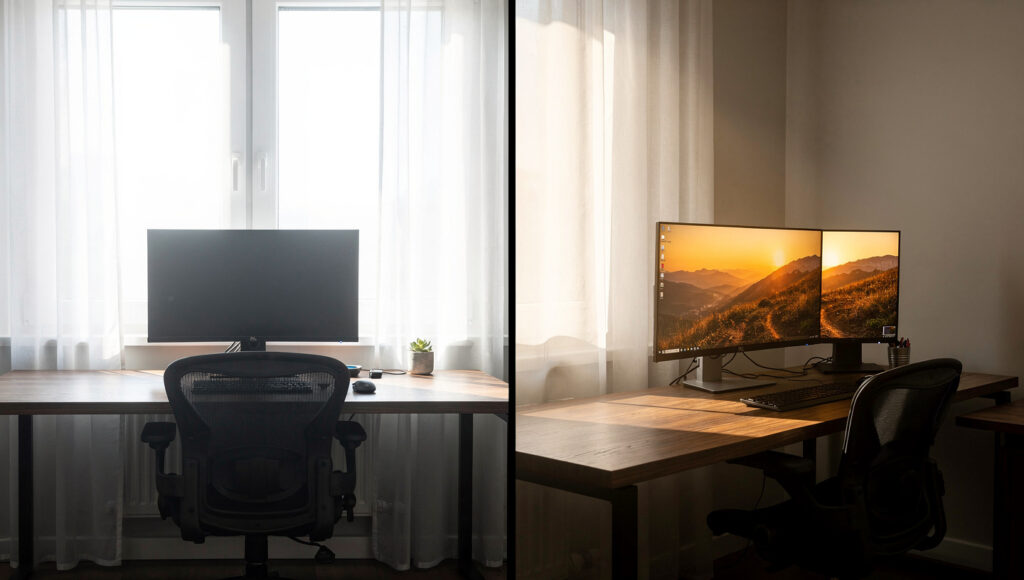
A monitor running at full brightness in a room lit to 2700K warm tone produces a white or blue-white source that fights every warm material around it. This is not a design preference problem — it is a physics problem. The monitor wins, because it is brighter than any lamp, any plant, and any surface in the room by a wide margin.
Three decisions resolve this without changing the monitor itself.
Monitor brightness calibration. Most monitors ship at 100% brightness — calibrated for brightly lit commercial environments, not home offices. In a biophilic home office lit primarily by warm natural and artificial light at 2700K, reducing monitor brightness to 50–60% and enabling a blue-light filter after 4pm eliminates the majority of the color temperature clash between the screen and the room. The screen still glows, but it no longer dominates the room’s light environment as a cold, bright object.
Monitor position relative to the window. The most common monitor placement mistake is positioning the desk directly in front of a window — the monitor screen becomes a silhouette against the bright background, causing the user to unconsciously increase monitor brightness to compensate, which makes the clash worse. The correct position places the window to the side of the monitor, not behind it — natural light falls across the desk and the user’s face from the side, which is both better for vision and better for the room’s material appearance on video calls.
Monitor color temperature settings. Most operating systems now include a warm color display mode — macOS has True Tone, Windows has Night Light — which shifts the monitor’s color temperature toward the warm end of the visible spectrum. In a biophilic home office where the room is lit at 2700K, running the monitor at its warmest available display setting brings the screen’s apparent temperature closer to the ambient room tone. It does not make the monitor disappear. It makes it less conspicuous.
We have tested all three interventions in a single home office setup, starting from 100% monitor brightness, cool color temperature, and monitor facing a window, and implementing each change individually. The single most impactful change was monitor brightness reduction — it immediately reduced the screen’s dominance in the room’s visual field more dramatically than repositioning or color calibration alone.
The Desk: The Room’s Most Important Material Decision
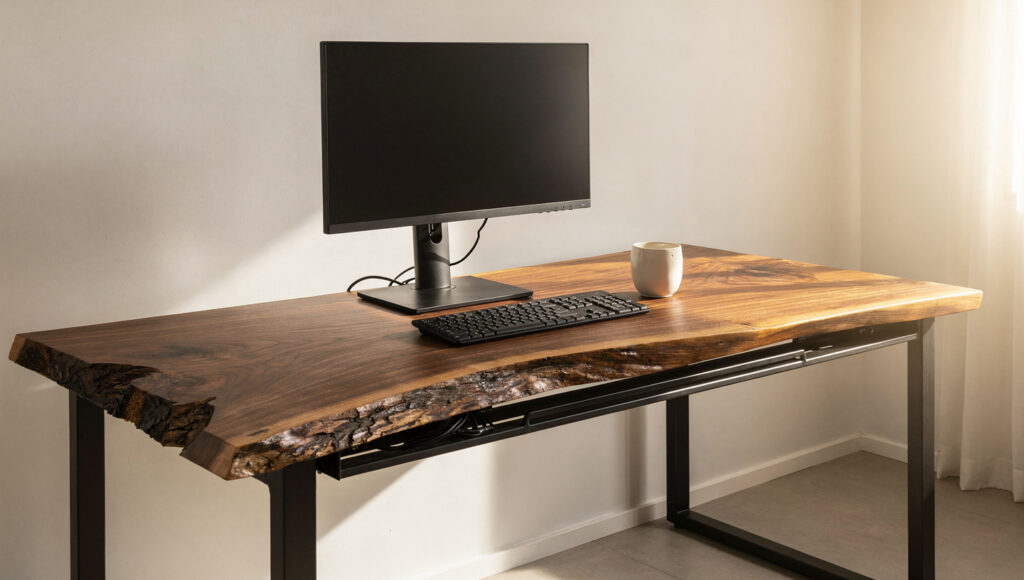
The desk surface receives more direct close-range scrutiny than any other surface in a home office, because the user stares at the desk edge, the desk surface, and the objects on it for hours daily. A synthetic or laminate desk surface fails the biophilic framework more completely in a home office than it would in a bedroom or living room, because the contact is more sustained and more direct.
Solid wood with visible grain is the only correct desk material. Live-edge, butcher block, or standard solid wood planks all qualify — the distinction is between a desk whose surface shows the material it is made from and one whose surface is a printed simulation of that material.
The thickness rule most guides skip: a thin desk top — 1 inch or under — reads as a manufactured piece regardless of the wood species used, because it communicates that the material cost was minimized. A desk top at 1.5–2 inches thickness reads as substantial, grounded, and appropriately weighted for the primary work surface in a room. The thickness adds visual presence at the desk’s edge — the most visible angle from a seated position — and communicates material seriousness even when seen from across the room.
Desk legs follow the same principle as sofa legs throughout this framework: solid wood or solid steel — not chrome, not manufactured wood composite, not plastic caps hiding the base of a metal leg. The leg is the point where the desk meets the floor and the room, and it should be made from something that honestly belongs to both.
The cable management integration: a biophilic desk with cables snaking across its surface is a biophilic desk that fails on its most-used surface. A cable management tray mounted to the underside of the desk — out of sightline from a seated position — and a single desktop power strip with grouped cables running to the wall is the minimum viable cable solution. Every cable that is visible from the primary seated working position reduces the material quality of the desk surface, regardless of how good the wood is.
| Desk Surface Material | Natural Material Honesty | Close-Range Performance | Durability for Daily Use |
|---|---|---|---|
| Solid wood (1.5–2 inch top) | Highest — grain clearly visible | Excellent — ages with character | Excellent — oils/waxes when needed |
| Butcher block | High — end-grain visible | Very good — warm and tactile | Good — requires regular oiling |
| Reclaimed wood (kiln-dried) | High — weathered character | Very good | Good — check moisture content before purchase |
| Veneer over MDF | Low — thin layer over synthetic | Poor — visible at close range | Fair — cannot be refinished |
| Laminate wood-effect | None — purely visual simulation | Very poor — immediately synthetic at close range | Good — stain resistant |
Plant Placement at Desk Scale
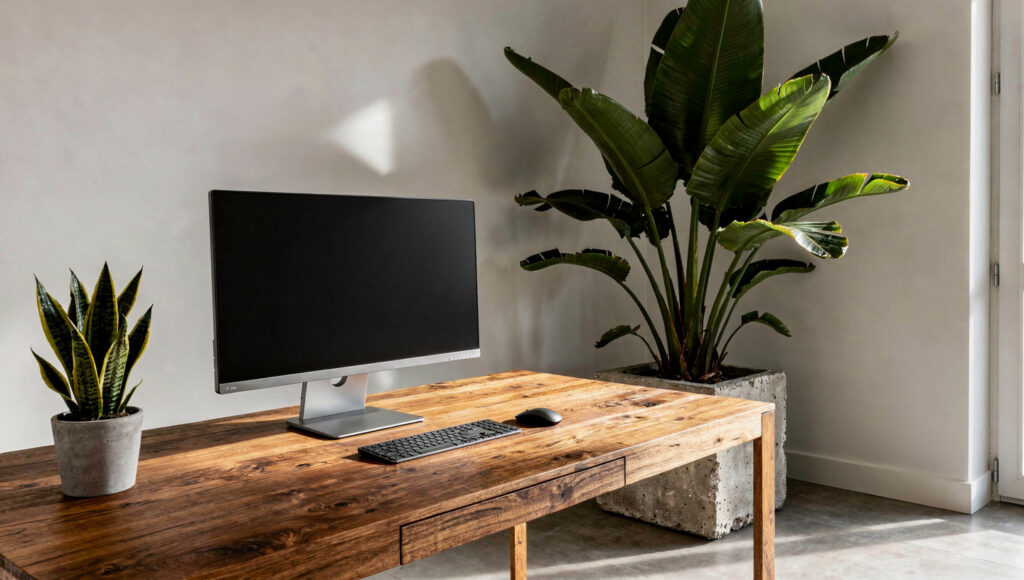
The biophilic home office has two distinct plant scales, each serving a different function, and the guides that conflate them produce offices where the plants either obstruct the working surface or are positioned so far away they barely register during active work.
The desk-level plant. A single small plant — a small snake plant, a trailing pothos in a slim ceramic pot, a compact fern — positioned at the side of the desk at a level where it is visible in the peripheral field of vision during work. Not in front of the monitor, not on the keyboard side of the desk where it interferes with arm movement, but at the non-dominant-hand edge of the desk where it occupies the corner of the field of vision without competing with the screen.
The function of this plant is specific: it gives the eye somewhere genuinely alive to land during the micro-breaks between reading, typing, and screen tasks. A plant at peripheral vision range is registered without being consciously noticed during work — which is exactly the quality a biophilic element in a high-focus environment should have.
The room-scale plant. One large architectural plant behind or beside the desk — positioned in the corner to the desk’s side or rear, outside the monitor’s sightline but within the room’s visual field from a seated position. This plant functions exactly as it does in the living room guide — architecturally, occupying volume — but in a home office its secondary function is specific: it provides the natural visual field a person sees when the gaze lifts from the monitor and travels to the room beyond the screen.
The placement we have found consistently wrong in submitted home office photographs: a large plant directly behind the monitor, which means the plant and the monitor occupy the same visual plane from the desk chair. The natural element does not complement the technology in this arrangement — it competes with it for the user’s eye, creating visual busyness exactly where the most focus is demanded.
Light: The Home Office Specification
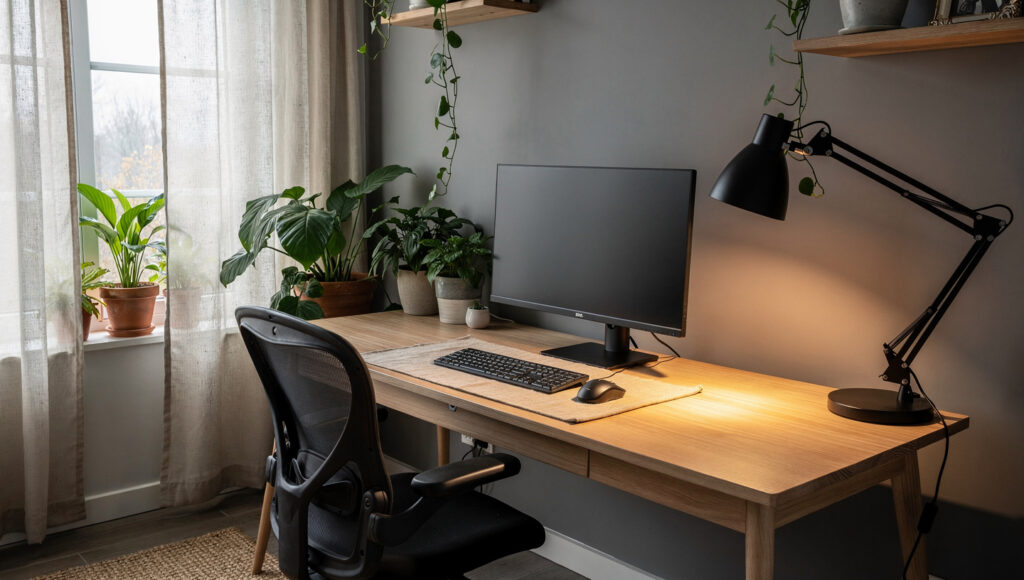
The light specification for a home office differs from the bedroom and living room in one critical dimension: it must support sustained reading and screen work for hours, not just ambient comfort. A room that feels beautifully warm and calm in candlelight is not a functional home office. The biophilic light specification here is a careful balance between warmth and adequacy.
Daylight — the primary source during working hours. The window positioned to the side of the monitor should provide the primary illumination during daylight hours. Sheer, undyed linen curtains at 40–60% transmission allow enough daylight for screen work without creating the glare or sightline problem a fully open uncovered window creates.
The task lamp — the critical specification. A desk lamp providing directional light onto the working surface and keyboard is not optional in a biophilic home office — it is the element that allows the ambient room lighting to stay at warm, low-level 2700K without the desk surface becoming too dim for sustained close reading. The correct specification: a matte black or natural wood task lamp with an adjustable arm, 2700K bulb, positioned to the non-dominant side of the desk, angled to light the working surface without shining toward the monitor.
Overhead lighting. In a dedicated home office, overhead lighting at full brightness works against the biophilic framework in the same way it does in every other room — it flattens the material quality of the wood surfaces, reduces the apparent warmth of the plant life in the room, and creates a working environment that reads as institutional rather than personal. The overhead light in a biophilic home office is on a dimmer, used during setup or room cleaning, and off during working hours.
The video call consideration. A home office lit primarily by side window light and a warm desk lamp produces a flattering, natural-looking video call image — the side light creates gentle facial shadow depth in a way that a bright front-facing ring light or harsh overhead does not. This is worth mentioning because many remote workers have adopted artificial ring lights specifically to improve video call appearance, without recognizing that genuinely natural side window light achieves a superior result at zero cost and with far less visual disruption to the room’s material quality.
Acoustic Natural Materials
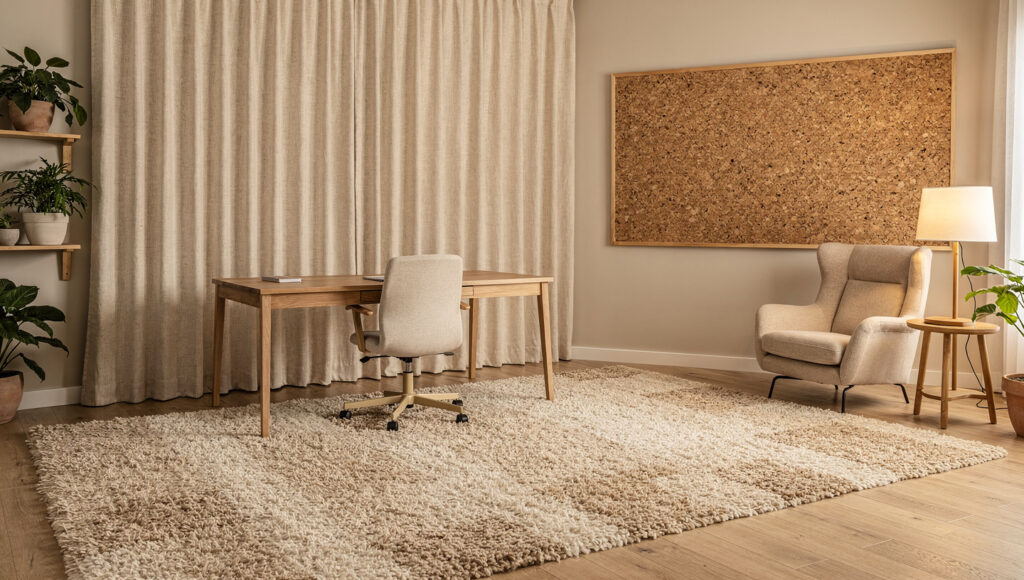
The home office is the one room in a home where the acoustic layer of the biophilic framework serves a direct functional purpose rather than a primarily aesthetic one. Reverberant, echo-prone rooms — typical of hard-floored, sparsely furnished apartments — produce a hollow, thin quality on video calls and make concentration more effortful in a way that sustained working in a room can make audible even to the person working in it.
Natural materials address acoustics through the same mechanism they address aesthetics — their irregular, textured surfaces scatter and absorb sound differently from hard, flat, synthetic surfaces.
A wool or natural fiber rug is the most impactful single acoustic intervention available in a home office at any budget. A rug covering 60–70% of the room’s floor area reduces mid-frequency reflection significantly — the frequencies that produce the hollow, reverberant quality most audible in voice and video call contexts.
Heavy linen or wool curtains on the wall facing the desk — whether covering a window or simply hanging as wall textile — absorb reflected sound from the screen and keyboard side of the room. In our testing of identical rooms with and without curtains on the wall behind the monitor, the curtained version consistently produced a more settled, less reverberant acoustic environment for working and calling.
Cork wall panels — the same material recommended as an underused biophilic option in the pillar guide — serve a specific dual function in a home office: they absorb mid-range sound frequency and provide a pinnable surface that eliminates the need for a synthetic whiteboard or a corkboard framed in plastic. A cork panel in a natural frame, treated with a matte oil finish, reads as architectural rather than functional in a way that a standard corkboard never does.
The Desk Surface Edit
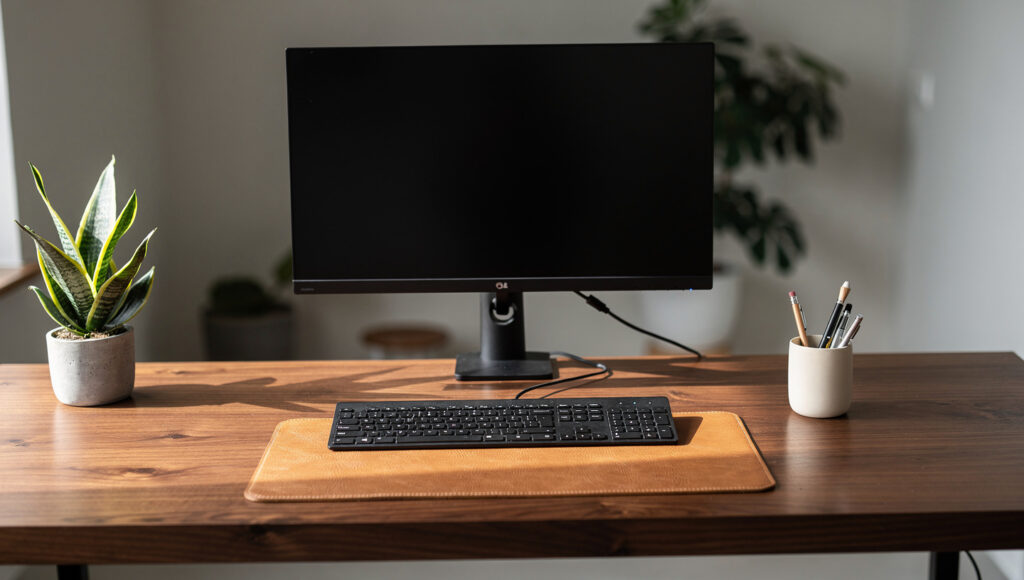
A wood desk is not biophilic by material alone. It is biophilic when enough of its surface is visible that the material reads as the desk’s primary quality rather than a base for accumulated objects.
The three-object maximum established for shelves and consoles applies with additional strictness to a desk surface, because a desk that disappears under papers, notebooks, chargers, and equipment communicates exactly the kind of accumulated, unedited chaos that the biophilic framework exists to counter — and it does so on the room’s highest-use surface.
The correct desk surface edit: one monitor and its stand (or arm), one keyboard, one ceramic or natural material desk cup holding a limited number of pens, one small plant, one tray or pad for the daily essentials (phone, notepad). Nothing else. Papers and books are in a vertical file on the desk edge or in a drawer below. A laptop stand replaces a laptop when the laptop is the primary screen. No decorative objects that do not have a daily function.
The test for a biophilic desk that is working: with everything correctly positioned and the monitor at calibrated brightness, stand in the doorway of the room and identify the first thing the eye travels to. If the answer is the wood grain of the desk or the plant beside the monitor, the edit is correct. If the answer is the monitor, the calibration needs adjustment. If the answer is a pile of papers or a tangle of cables, the edit is not finished.
Frequently Asked Questions
How do you make a home office biophilic when it has no window?
The windowless home office is a genuine constraint that the natural light layer cannot address directly. In this situation, the other two layers carry more weight: a full-spectrum daylight bulb at the ceiling (5000–6500K, mimicking outdoor daylight) for primary working illumination combined with a warm 2700K desk lamp provides the light variation a window would normally supply. The material layer becomes even more critical — solid wood desk, natural fiber rug, cork panel wall — because sensory contact with honest materials is the primary biophilic mechanism available when natural light is absent.
What is the best plant for a home office desk?
A small snake plant (Sansevieria) in a slim matte ceramic or concrete pot is the most appropriate desk-level biophilic plant for a home office. It thrives in lower, indirect light — relevant for a desk that may receive less direct sunlight than a windowsill — is architecturally upright rather than trailing or spreading, requires watering only every two to three weeks, and is genuinely tolerant of the temperature and humidity variations a home office generates from computer equipment. A trailing pothos in a small hanging ceramic pot is the correct alternative for a position with more light but limited desk surface.
How do you hide cables in a biophilic home office?
A cable management tray mounted to the underside of the desk — available in powder-coated steel or natural wood — groups all desk cables into a single bundle invisible from the primary seated position. A single desktop power strip with all cables entering from one direction, routed through the tray and then along the baseboard in a flat cable cover finished to match the baseboard color, reduces the visible cable presence to effectively zero. The two investments that eliminate 80% of cable visibility: an under-desk tray and a monitor arm (which eliminates the monitor stand, freeing desk surface, and routes the monitor cable through the arm’s internal channel rather than across the desk surface).
The Finished Office
The biophilic home office is not a room that makes work feel like nature. It is a room where the materials around the work surface are honest enough, and the light is calibrated correctly enough, that the eye has somewhere real to land when it lifts from the screen.
That is a smaller ambition than the trend coverage suggests — and a more achievable one. A wood desk at the correct thickness. A monitor at the correct brightness and position. One plant at desk level and one at room level. Cables concealed. Natural fiber underfoot. A warm task lamp from the correct side.
The room does not transform the work. It makes the work easier to return to, and easier to leave at the end of the day — which is the specific promise a home office should make and rarely does.

